Liquib 2.0, 2.0.1 and 2.0.2
- New Features
A Liquib Screensaver is now available as of version 2.0, and it's free!
Also, Warp and Shine Tools and a Mirage Effect have
been added. Numerous minor improvements and tweaks were included.
Here are a few more details: (Also see
Liquib 2.0.1 and 2.0.2)
- Free Screensaver => The fully functional
Liquib Screensaver is freeware! The screensaver operates much like the
Automatic Effects feature of the main Liquib program, and uses the same
sort of Configuration Files. Further information and a download link can
be found on the Liquib
Screensaver page.
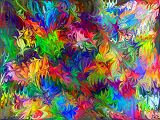
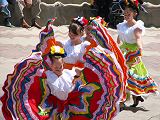
- Warp Tool =>
The Warp Tool mangles a source image with an assortment of swirls, bends,
whorls, thickenings and thinnings, all smoothly mingled together. It can do horrific
things to faces and bodies (usually not very flattering things). A truly vast variety
of Warpings is possible by adjusting the available parameters. The
Style choices are Lumpify or Revulsify, and there are 256
variations of each of those. Complexity and Intensity parameters
control the level of detail and how extreme the distortions will be. Warps
can also be rotated, shifted and/or stretched.
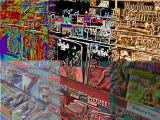
- Shine Tool =>
The Shine Tool manipulates colors to apply various lighting effects.
It examines source image pixels to detect brightness/darkness differences and gradients
of color variances, and then emphasizes edges, creating a sense of depth, much like a
bas-relief carving. Depending on how parameters are configured, the results
might resemble shiny metal plated surfaces, glowing neon billboards or other, much
weirder coatings of glossy, mingled hues. The choices for Style are
Metallic, Color Gradient, Metal Outline, Glowing
Edges, Luminous Lines, Double Diffs, Thermal Levels,
Dim Brilliance and Candyland. The detection of edges and
the application of lighting can also be influenced by Smoothness,
Depth, Resolution, Contrast and Gradations
adjustments. Shine derived colors can be merged with source
image colors according to a Colorize % value, with 0% being only source
image colors, and 100% being entirely Shine colors.
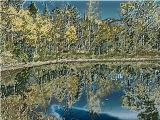
- Mirage Effect =>
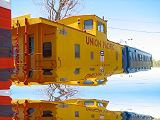
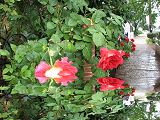
The Mirage Effect generates wavery, quivering reflections either below or
above a portion of the image. It approximates the natural optical phenomenon
that can occur when extreme differences in air temperatures cause light to refract,
creating an illusion of a watery, mirroring surface in the distance. A common
example of this might be seen while driving on a hot
day, as pools of water seem to appear on the highway far ahead, perhaps reflecting the
sky above or background hills or oncoming cars. Waviness and
Intensity values control the scale and degree of distorting undulations.
Options are available to create multiple replicating Mirage images, alternately
inverted and upright, and to elongate or shorten the mirrored scenes. As with
other Liquib Effects, Mirages will typically move and evolve
until finalized, with choices for Meandering, Swirling and/or
Traveling motions. The Mirage Effect might also be used to
simulate a reflective pool or puddle of water, that perhaps is gently agitated by a
breeze. (It might have been called a Puddle Effect instead, but
Mirage seemed much more glamorous.)
- Automatic Effects Tiling =>
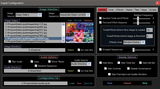 The Tiling
feature of Liquib captures a portion of the full screen and mirrors that area to
create Tiles that can be concatenated together seamlessly and endlessly in all
directions. The Tiles can optionally be centered to maximize symmetries,
and they can be put into continuous automated wandering motion. With past
versions, there was only a choice to turn Tiling on or off during Automatic
Effects. Liquib 2.0 allows Tiling to be activated at random
intervals during Automatic Effects,
based upon a Percent Usage of Tiling slider that can vary from 0% to 100%.
Options are also available to enable Tile Centering and Tile Wandering
according to Never, Always or Random choices. These
capabilities also apply to the new Liquib Screensaver.
The Tiling
feature of Liquib captures a portion of the full screen and mirrors that area to
create Tiles that can be concatenated together seamlessly and endlessly in all
directions. The Tiles can optionally be centered to maximize symmetries,
and they can be put into continuous automated wandering motion. With past
versions, there was only a choice to turn Tiling on or off during Automatic
Effects. Liquib 2.0 allows Tiling to be activated at random
intervals during Automatic Effects,
based upon a Percent Usage of Tiling slider that can vary from 0% to 100%.
Options are also available to enable Tile Centering and Tile Wandering
according to Never, Always or Random choices. These
capabilities also apply to the new Liquib Screensaver.
- Other => Many miscellaneous
enhancements and fixes were made with Liquib 2.0. These are the
most notable:
- The rendering algorithms for the Rumple Tool (both Normal and
Improved Quality) have been revamped to slightly improve appearance and also
to be somewhat more efficient.
- An Improved Quality rendering option has been added for the Relief
Tool which will generally create smoother results. A new Relief
Sensitivity parameter has been included that can influence how edges are detected.
- The Normal Quality rendering routines for the Wave and Flow
Effects now produce slightly less pixelated results, and are also a bit more
efficient. Improved Quality rendering for the Wave, Flow
and Bubble Effects should now create cleaner results (though somewhat slower
to render).
- Some additional variations have been applied to Beam Effect pulsations,
hopefully making Beams more interesting to watch while they're active and evolving.
- All of the Open and Save Dialogs for images and other files have been updated
to newer, more capable styles.
- If an ICC Color Profile is stored within a source image file, then that
information will now be retained with any saved Liquib generated images
that were derived from that source image (for JPG, TIFF, PNG and PSD image
formats). Also, the Save / Quick Save Options screen includes a new
option to similarly copy and save EXIF data from original source images
(again applying to JPG, TIFF, PNG and PSD formats). The default Save
Directory can now automatically be set to the last folder saved to.
- The timing for video captures should be more accurate when the Automatically
Adjust Capture Timing option is set.
Liquib 2.0.1
The 2.0.1 release of Liquib fixes a glitch that occurred when toggling
between full-screen and Menu display modes, which sometimes caused the Open
Image dialog to fail, along with other odd problems and occasional aborts.
Also, the improved quality rendering of Bubbles was revamped and is now
much faster. Certain Tile Wandering patterns that were awfully jerky
and frenetic have been adjusted and should now appear somewhat calmer. The
free Liquib Screensaver has also
been updated to version 2.0.1.
Liquib 2.0.2
Liquib 2.0.2 was primarily released to fix screen lock-ups and other
glitches that would occur with the Tiling feature in some situations.
Version 2.0.2 of the free Liquib
Screensaver is also now available.
Click to review Liquib 1.9
enhancements