 Video Enhancements => The Video capabilities that were implemented with
Kaleider 4.3 have been much improved. The Video Capture process is
now more efficient, generally resulting in Videos that more accurately reflect the
actual timing of rendered motion. Video
Options includes new Video Parameters Set and Scaling Option
settings to provide better control over how Videos are created.
Video Enhancements => The Video capabilities that were implemented with
Kaleider 4.3 have been much improved. The Video Capture process is
now more efficient, generally resulting in Videos that more accurately reflect the
actual timing of rendered motion. Video
Options includes new Video Parameters Set and Scaling Option
settings to provide better control over how Videos are created.
 It's possible
now to capture Kaleider action as sequences of still image files, which can
then be played as animations with the Image
Sequence Player. Video files can also be recorded from the Image
Sequence Player while playing animations, which provides much more precise control
over timing and might result in higher quality Videos.
It's possible
now to capture Kaleider action as sequences of still image files, which can
then be played as animations with the Image
Sequence Player. Video files can also be recorded from the Image
Sequence Player while playing animations, which provides much more precise control
over timing and might result in higher quality Videos.
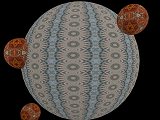 3D Rooms Improvements => 3D Rooms scenes should now
render somewhat quicker when Dual or Quad Views are enabled, and during
Video Captures. It's also much easier now to navigate outside of
Rooms, into the blackness of space, to view the exteriors of surfaces. This
was possible before by holding down the CTRL key while pressing movement keyboard
commands, but that was a bit cumbersome. A new Allow Moving Through
Room Walls option can be set in the Room Options screen to simply use the
keyboard commands without being hindered by walls. (You might try running the
Exteriors sample Script to get a feel for the sort of weird scenes that can
be seen 'outside').
3D Rooms Improvements => 3D Rooms scenes should now
render somewhat quicker when Dual or Quad Views are enabled, and during
Video Captures. It's also much easier now to navigate outside of
Rooms, into the blackness of space, to view the exteriors of surfaces. This
was possible before by holding down the CTRL key while pressing movement keyboard
commands, but that was a bit cumbersome. A new Allow Moving Through
Room Walls option can be set in the Room Options screen to simply use the
keyboard commands without being hindered by walls. (You might try running the
Exteriors sample Script to get a feel for the sort of weird scenes that can
be seen 'outside').
An Apply Mandala/Stencil to Rooms option is now available in the Room
Options screen to cause Rooms scenes to appear overlaid by the current
Mandala or Stencil.
Of course, the Rooms Mandala choice can be recorded in Scripts, and later altered via the Script Control and
Editing function.